 Hood Prop Designer
Questions and answers
Straight answers for shop owners. Missing something? Email us.
The app and your laser
Which laser software do I need?
Any laser software that can open an SVG file. The layer colours are set up for LightBurn, which we use in our own shop: use File → Import. The app does not install or change your laser software.
Which lasers does it work with?
Any laser your laser software can run. The app only makes the SVG file; your laser software sends it to your laser. The prop is 29.946" long at its standard length, so check your bed fits it: the app warns you when a prop is longer than 47".
Which hood props can I make?
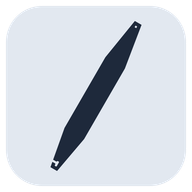
The 6th Gen Camaro hood prop: a long acrylic bar with the hook notch at the top and a square mounting hole near the bottom, 4.006" × 29.946" (101.743 × 760.636 mm) at its standard length. Type any length from 15.862" to 60": only the straight middle changes, and both ends keep their exact shape.
Does it engrave anything?
No. The laser cuts every line: the prop's outline and mounting hole (C00, black) and every line of every design and name (C01, blue). You can give the design lines a lower power to score them instead of cutting through. There is no fill or image layer.
Does it make a LightBurn project file (.lbrn2)?
No. It makes an SVG file, which LightBurn imports with every kind of line on its own layer colour. You set Line, speed and power in LightBurn.
Does it run on a Mac?
No. It runs on Windows 10 (version 1809 or newer) and Windows 11, 64-bit.
Designs and text
What is the shared design library?
Designs we publish for everyone who uses the app. They show up in your library by themselves, sorted into categories, with a small "shared" mark.
The app checks for new designs when it starts, every 15 minutes while it is open, and when you click Check now. Offline, it uses the designs it already has. A project keeps its own copy of every design on it.
A design I need isn't in the library. Can you add it?
Ask us from the app: click Request a design… at the top of the library (or Help → Request a Design…), say which one, and click Send. Add your email if you'd like to hear when it's in. Designs we add reach your library by themselves.
Something wrong with a design that is there? Click the flag on its tile in the library, or select it on your prop and click Report a problem with this design…
Can I use my own designs?
Yes, as SVG files: the laser cuts along their lines. Click Import, or drop files into your library folder (Documents\Hood Prop Designer\Library by default). Pictures (PNG, JPG) can't be used, because there is nothing in them to cut along.
Your own designs stay on your PC. They are never uploaded to the shared library or anywhere else. Make sure you have the right to use and cut any logo or artwork you add.
Can I keep my designs in Google Drive or OneDrive?
Yes. Choose a synced folder with File → Choose Library Folder…. Every PC that points at the same folder sees the same designs, and files you add from your phone show up a few seconds after they sync.
Can I show the customer the colours?
Yes. Pick the prop's acrylic colour, change any colour of a design with the paint bucket, and fill the empty areas a design closes in (the inside of outline letters, say). Proof picture saves it as a JPG with the name, order number and size. Colours and fills are for the proof only: they don't change what is cut.
How many fonts are there?
56 fonts in 40 families. You can add your own TrueType or OpenType fonts with Add a font from this computer…
Buying, keys and PCs
How much does it cost?
once. One price, paid once. No subscription. All future updates are included. See Buy. Licence keys go on sale soon.
Can I try it first?
Yes. Install it, type your email, and use every feature free for 7 days. No key, account or card needed.
Can I get more time to try it?
Email us with the email you started the trial with; we can extend your trial. The app picks it up by itself, or when you click Check for an extension.
How many PCs can I use it on?
Up to 3 PCs at a time with one key. To move it to another PC, deactivate it on the old one first (Help → Licence… → Deactivate this PC). How to move a key.
Does it need the internet?
Once, to activate your key. After that it works offline and checks in with our key server now and then when the PC is online. New shared designs also need the internet. Laying out, saving and exporting work offline.
Are updates included?
Yes, all of them. The Microsoft Store installs updates by itself.
How do I pay? Do I need an account?
You pay on Stripe's secure checkout page. There is no account to make. Your key is emailed to the address you give at checkout. We never see your card number.
I lost my key. What now?
Use the resend form with the email address you bought it with, and we'll send it again.
Can I get a refund?
PLACEHOLDER
[Your refund policy. The app has a free 7-day trial so customers can try everything before they buy.]
Privacy
Does the app send my designs anywhere?
No. Your props, designs, exports and settings stay on your PC, in the folders you choose. See the privacy policy for what the key server keeps.
Still have a question?
Email us. We make these props ourselves and are happy to help.